 Jason Kulatunga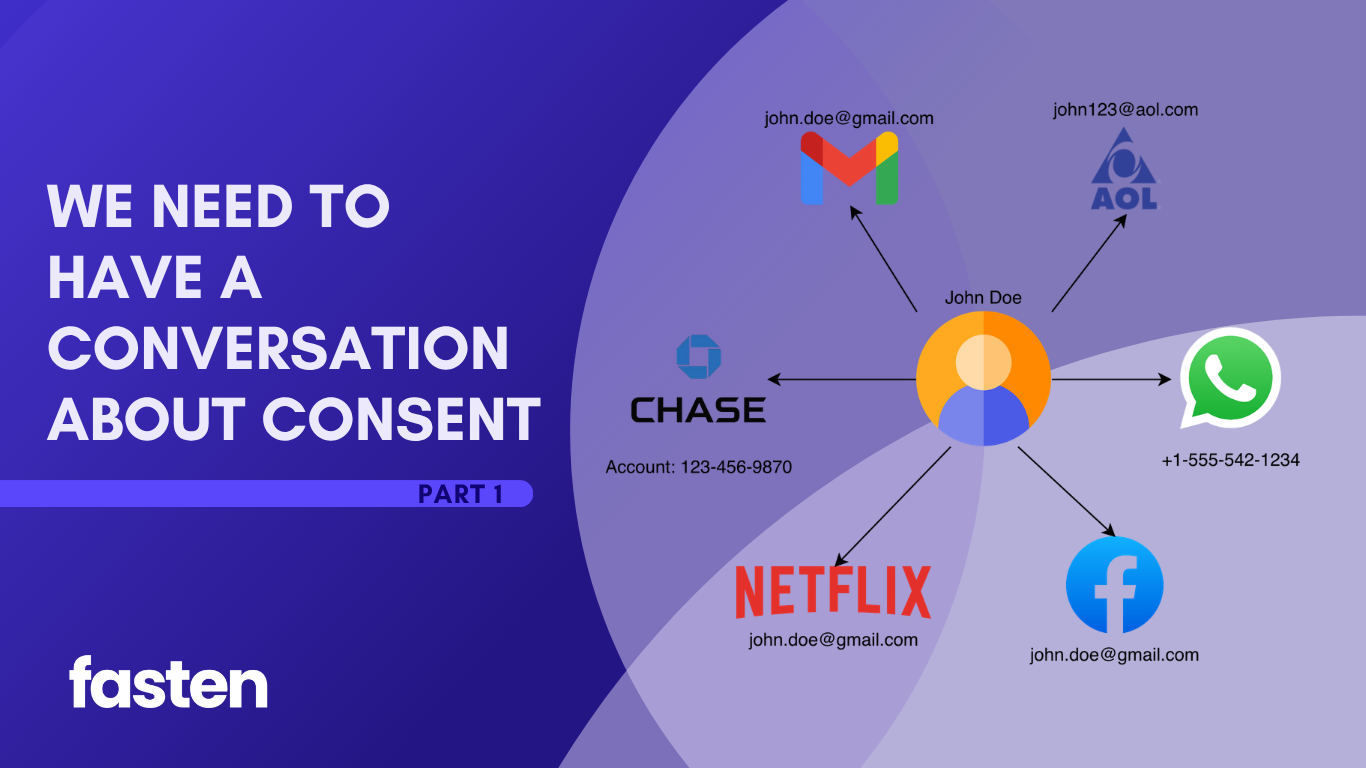
There has been a lot of progress in TEFCA since our last update (discussing Patient Matching & RLS) a couple of months ago. Now the conversation is shifting toward something even more complex: patient consent. We’re going to spend this two-part series describing Consent in detail – specifically how Consent, Authorization, Authentication & Identity Verification can be easily conflated, but are fundamentally different concepts.
Before we can dive into the intricacies of Consent on TEFCA, we’ll need to level-set:
Part 1 will be a primer on OIDC, OAuth, IAL2 – why these technologies exist, what problems they solve and how they are used broadly on the internet today. This is important to understand because TEFCA’s Individual Access Services (IAS) model borrows from these standards, modifing them in a few important ways. This has implications for consent and the spectrum of trust that exists when patients are accessing their medical records through apps of their choosing.
Part 2 will focus specifically on the spectrum of trust on TEFCA: when a patient uses an app to access their medical records on TEFCA, how do identity verification, authorization, delegation, offline access and revocation actually work.
The internet has a trust problem
The early internet was the Wild West. But as it matured, developers kept running into the same problem: how do you safely let third party applications access data without handing them the keys to your entire digital life?
Modern identity and authorization flows are really trying to answer three different questions:
- Who is this person?
- What application is asking for access?
- What did the person authorize that application to do?
Those sound similar, but they’re not the same thing.
OIDC answers the first question.
It helps prove who the person (user) is.
OAuth answers the second and third.
It helps define which application is requesting access, what data it can access, and what actions it’s allowed to take (on behalf of the person).
This distinction is incredibly important, especially in healthcare, where “the patient proved their identity” can incorrectly be treated as “the patient consented to ongoing access to all of their records.”
OIDC is about (application) identity
In a first-party application, verifying a user’s identity is “easy”. All you need to do is have the user login to your application. If they know the username, password and are able to access a registered device with a 2FA code, you can be (somewhat) confident that this user is the owner of the account.
But building an account management system can be difficult: Security is hard, strong passwords are difficult to remember, and users can get frustrated creating new accounts for apps they just want to try out.
That brings us to OpenID Connect (OIDC), an identity layer built on top of OAuth 2.0. You’ve likely used it before, even if you’ve never heard of it – it’s the technology powering Social Logins:
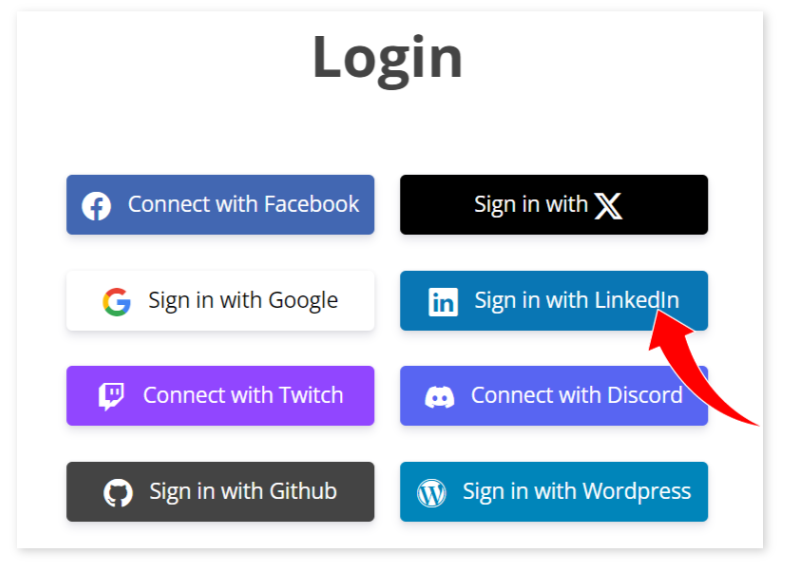
OIDC lets an application ask: “Did this user authenticate, and who are they?”, offloading the actual account management & login to a trusted identity provider (Facebook, Google, etc)
The result is an ID Token, which is a signed JSON Web Token containing metadata about this user (identity claims), that can be verified by any 3rd-party application. OpenID Connect requires ID Tokens to also include claims like sub, aud, exp, and iat, where exp tells the third-party app (known as the relying party) when the ID Token has expired and must no longer be accepted. (OpenID Foundation)
A JWT has three major parts:
- Header
- Payload
- Signature
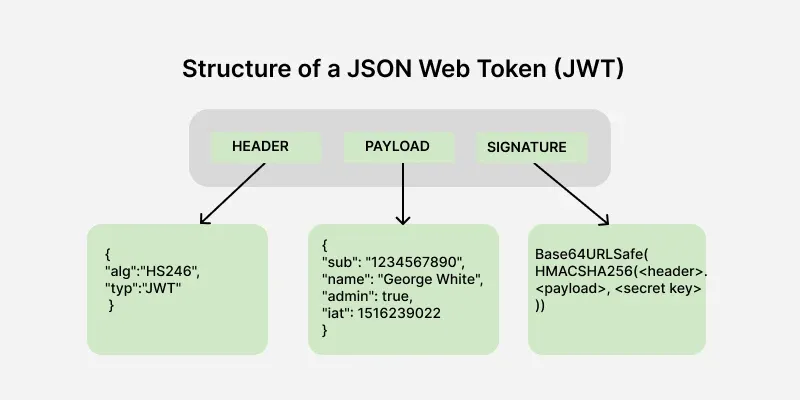
- The
headertells you how the token was digitally signed. - The
payloadcontains claims (metadata about the user). - The
signaturelets the receiver verify that the token was issued by a trusted-party and hasn’t been modified.
It’s important to remember: an ID Token just encodes who has logged in, not what they are allowed to access.
It says, roughly:
- A trusted identity provider authenticated this person.
- Here are claims about that person.
- This token was issued for this third party application (relying party).
- This token expires at this time.
For the technologists among you, it can be thought of data required to create a Session ID, that’s it. Roles, permissions, access controls – those all have to come from a separate source.
OAuth is about delegated access
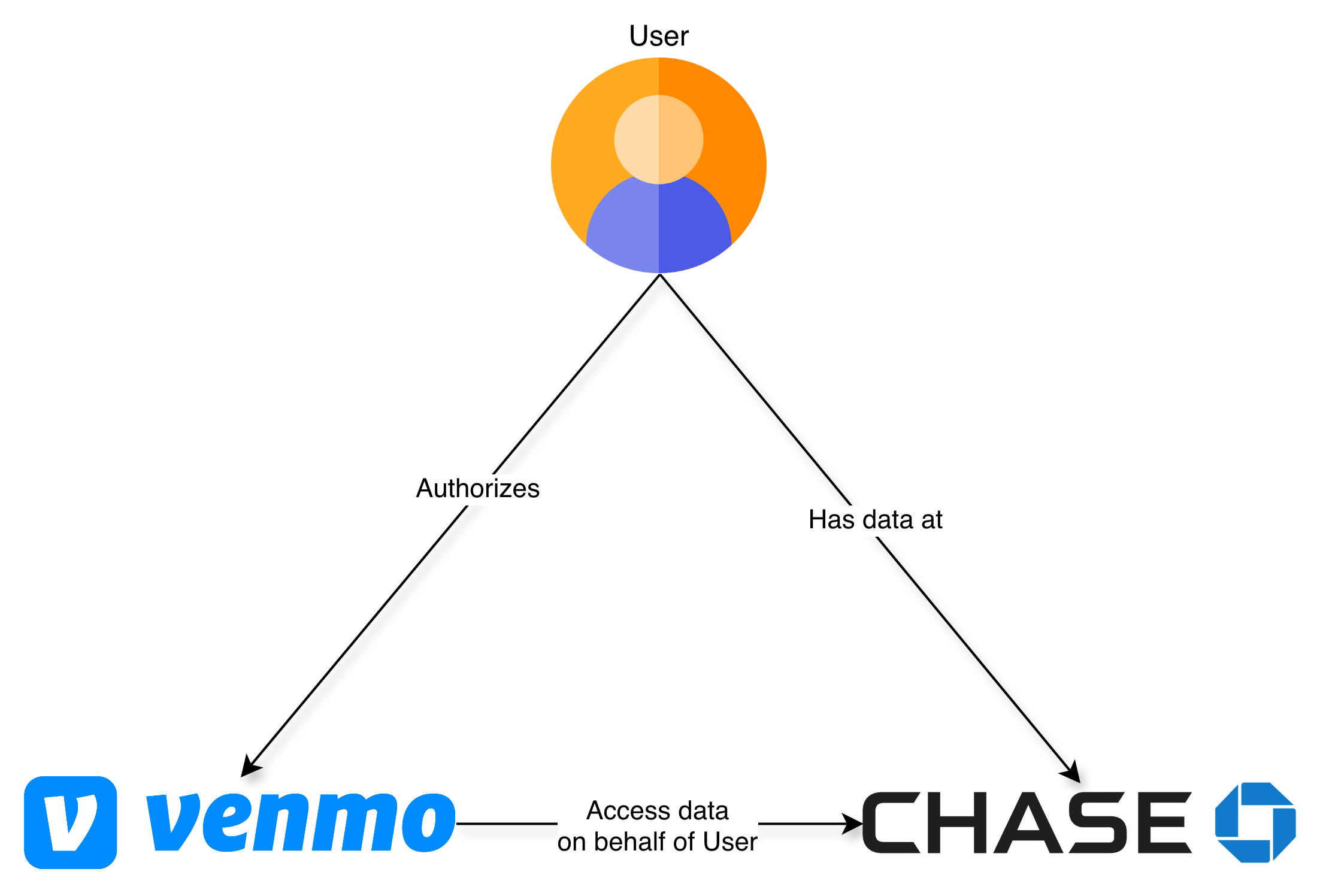
OAuth 2.0 is different. OAuth lets a user grant an app limited access to protected data (resources) without giving that app the user’s password.
If you’ve ever given an app access to a file from Dropbox or Google Drive OR shared your financial accounts with Mint, TurboTax or Venmo you have already used OAuth
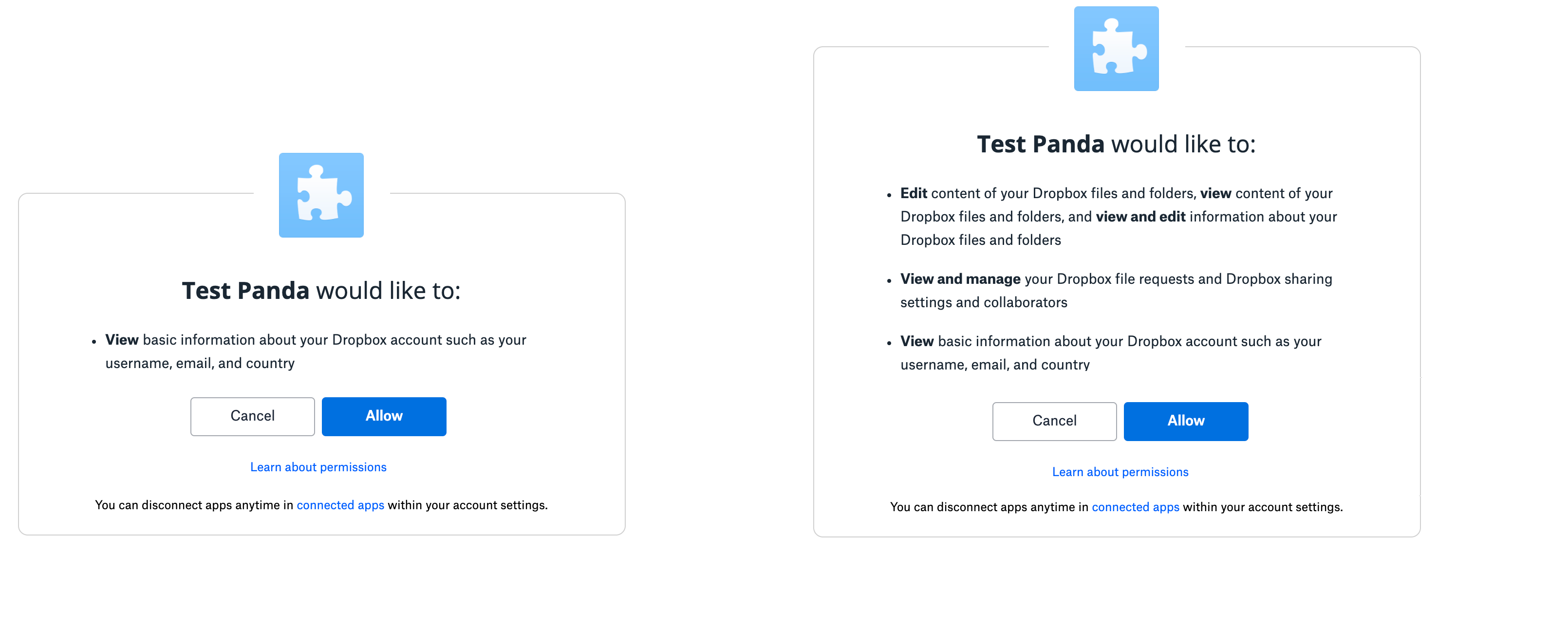
The OAuth spec describes Access Tokens as credentials that represent a specific set of permissions and duration that have been granted by the user (resource owner) to the third-party app. These are enforced by the resource server (eg. Dropbox, Google Drive, your banking institutions) and limit what data your third-party app (Mint, TurboTax) can access. (RFC Editor)
In other words:
ID Token = who the user is
Access Token = what the app can do
Within the Access Token, these permissions are usually encoded as “scopes”.
Scopes can be almost anything, but it’s common for them to follow a hierarchical naming convention, relating types of data to actions that are permissible by the third party app.
For an application like Dropbox, this could be as simple as:
account_info.readaccount_info.writefiles.content.readfiles.content.writesharing.readsharing.write
Best practice is for third-party apps to request only access to the data they need, and limit the scope to read-only access when write access is not needed.
E.g If you’re using an app that helps you edit your Facebook profile photo, it shouldn’t also have the ability to delete your friends.
These scopes/permissions are requested by the third party app, consented to by the User and are stored or verified by the resource server. The third-party app never has the ability to change scopes without the User’s consent.
Persistent Access using Refresh Tokens
There’s also a third type of token that we need to discuss, called Refresh Tokens. In most situations, ID Tokens are short-lived. They might last an hour or two, and then they expire. They are intended to initiate a user session, when they are actively using an application. Access Tokens usually live longer than that – you can imagine countless scenarios where a user may want their app to do work on their behalf, even when they’re not in front of a screen. It could be as simple as syncing calendar events to their phone or sending budgeting alerts when some credit card threshold has been crossed.
However a long lived Access Token is a security nightmare: they grant access to your sensitive data, and if they are accidentally (or maliciously) exposed, could have the same impact as someone stealing your username & password.
For these security reasons, Access Tokens are generally short-lived as well (usually some multiple of an ID Token’s expiration). But that introduces a new type of friction for the user – how do I give my app access to my Google Calendar, without having to log into it every couple of hours?
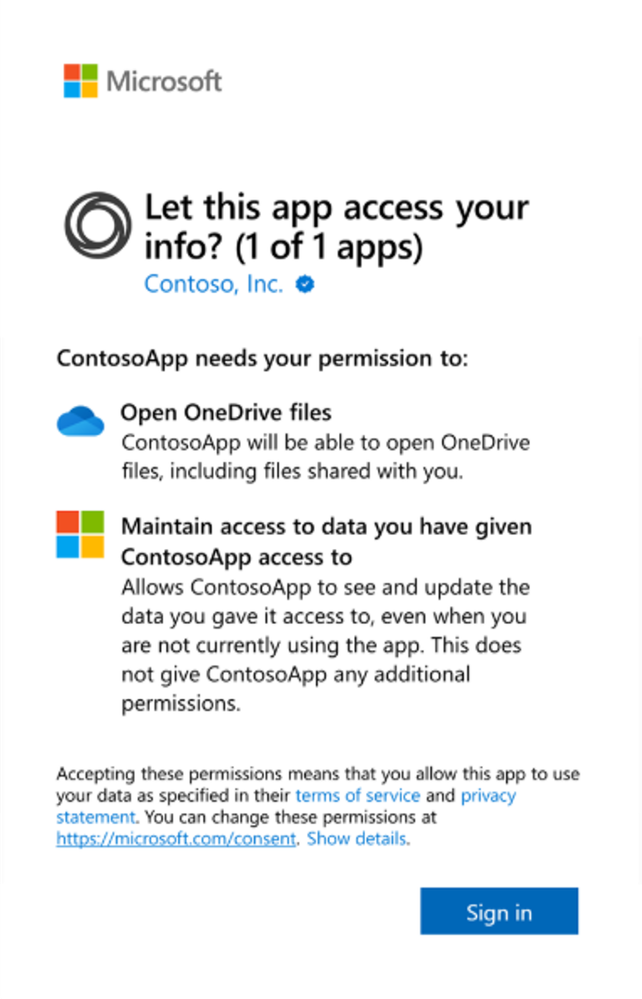
That’s where Refresh Tokens fit in. Refresh Tokens are used to obtain new Access Tokens when the current Access Token expires. They can be stored more securely since they are used less frequently, and provide an additional mechanism for users to revoke access to an app.
Refresh Tokens are optional (they are not always provided) and this is our first example of scopes. Users have a choice: do they want this app to have access to their data while using the app, or do they want the app to also have offline_access, which is the scope used to request a Refresh Token that can obtain new Access Tokens even when the user is not actively present.
By consenting to this offline_access scope, the user is saying:
I authorize this application to keep acting on my behalf later,
even when I am not actively using it.
That is a form of delegated access.
IAL2: Internet identities are mutable
Most apps have a very narrow definition of identity: does this user have an account in our database, and are they able to successfully login?
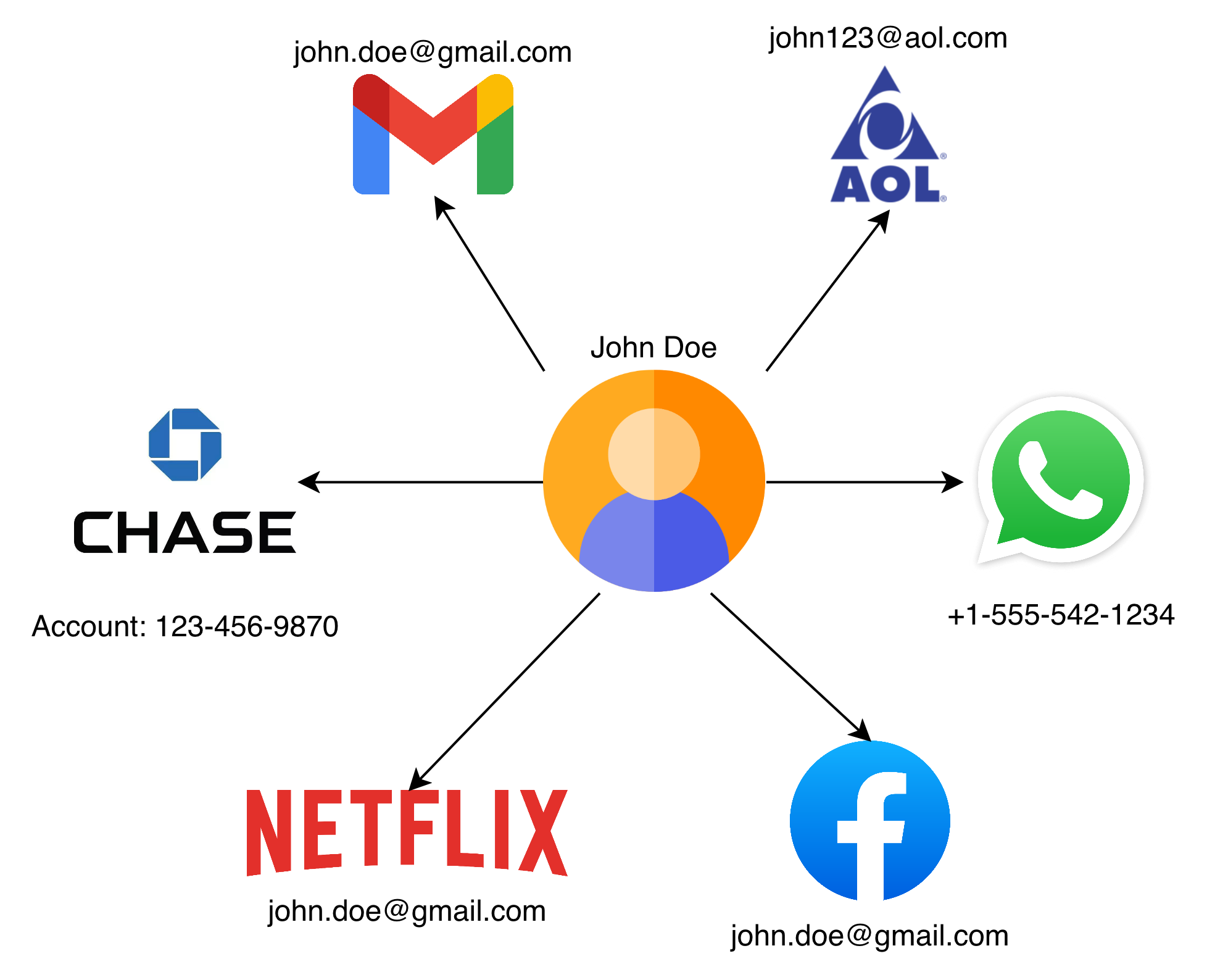
Identity on the internet is mutable – fluid. You can have multiple email addresses, multiple twitter handles, or maybe a single netflix account shared by your whole family.
Most apps create user accounts with weak signals: an email, a phone number, a password, maybe a magic link. This might be fine for apps that don’t have access to sensitive data, and want to balance security with ease-of-use for the user.
However, for consumer apps that have access to more sensitive data (eg. financial, legal, healthcare, location), account security becomes more important than usability – that’s where you’ll start seeing 2FA codes, passkeys and biometrics being used. Hopefully ensuring that a leaked password can’t ruin someone’s life.
But Healthcare has a harder problem.
When a patient requests medical records, the provider isn’t just asking, “Did someone log in?” They’re asking, “Can we tie this request back to a real, flesh and blood person who is actually the patient?” In other words, they need a real world identity they can anchor the request to.
It’s not enough to own or have access to the john.doe@gmail.com email address, they want a way to ensure you are John Doe.
That is where IAL2 (Identity Assurance Level 2) comes in.
NIST defines IAL2 as a form of identity proofing where evidence has been provided that supports the real world existence of a claimed identity and verifies that the applicant is appropriately associated with that identity. In other words, IAL2 is not just account login, it is verifying that a specific individual exists, and that individual is in-front of this screen. (NIST SP 800-63A)
This proofing is done by a Credential Service Provider (CSP), an organization that can verify someone to IAL2, usually by matching their documents against a variety of Government and private databases.
There are a number of these such organizations but CLEAR, ID.me and Persona are the ones that are relevant to us in the TEFCA + Healthcare space.
{
  "iss": "https://api.idmelabs.com/oidc",
  "sub": "3744809ddad94a9386832af4fb538592",
  "aud": "urn:oid:2.16.840.1.113883.3.3126.2.4.41928.5",
  "exp": 1773734507,
  "iat": 1773716507,
  "birthdate": "01/15/1987",
  "email": "ahackett@gmail.com",
  "given_name": "Allison",
  "SSN": "678146132",
  "gender": "Female",
  "identity_document_number": "10ABC59181",
  "family_name": "Hackett",
  "phone_number": "+16085551243",
  "address": {
    "formatted": "6647 WILDFLOWER DR S, COTTAGE GROVE, MN 55016 US",
    "street_address": "6647 WILDFLOWER DR S",
    "locality": "COTTAGE GROVE",
    "region": "MN",
    "postal_code": "55016",
    "country": "US"
  },
  "jti": "9f7613b6-2730-443e-85fa-d7a811b2ef49",
  "uuid": "3744809ddad94a9386832af4fb538592"
}
These CSPs are then responsible for generating and signing an OIDC ID Token (which we discussed above), containing a unique identifier (sub) for this individual (that will never change) and other metadata & demographics (eg. first name, last name, date of birth, address, etc)
But there’s an important caveat: IAL2 does not create a universal patient ID.
A CSP’s sub value is usually unique within that CSP. CLEAR, ID.me, Persona, a health system portal, and a payer portal may all identify the same person differently. It’s for this reason, and other historical reasons, why TEFCA still needs demographic claims for patient matching, which we discussed at length in our last post about Patient Matching & RLS
TEFCA IAS breaks standard patterns
Now that we know about OIDC, OAuth, ID Tokens, Access Tokens and Refresh Tokens, let’s discuss how this all applies to Healthcare.
TEFCA’s Individual Access Services model needs to solve a hard problem.
A patient wants to access their records across a national network via an app of their choosing. Responding healthcare organizations need confidence that the person requesting records is actually the patient. So TEFCA IAS requires identity verification to at least IAL2 through an approved Credential Service Provider.
There are 5 different stake-holders here:
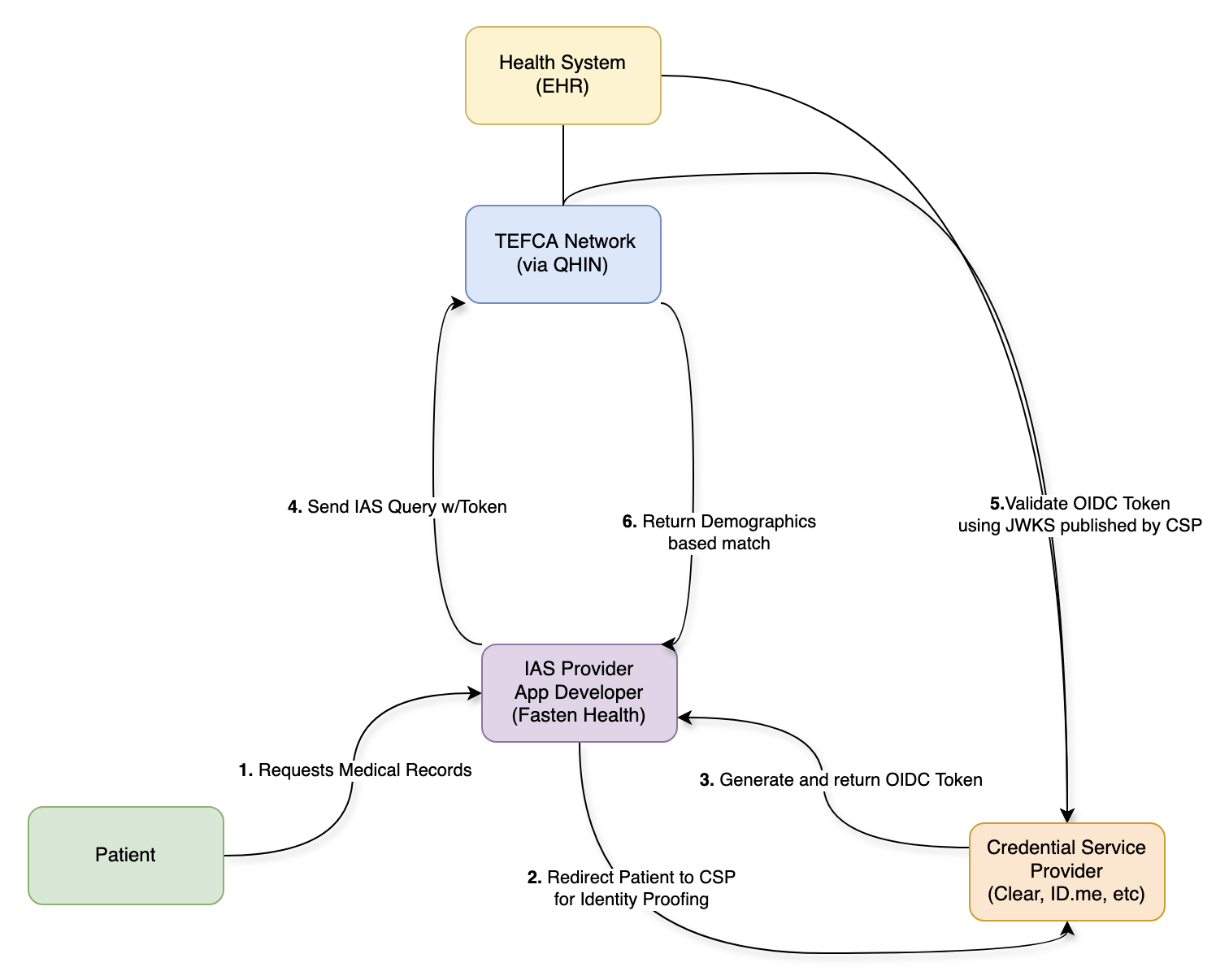
- The QHINs are responsible for:
- ensuring that only authorized apps can send requests on the network.
- ensuring that record requests are limited to patient demographics that have been verified by a CSP (by checking the ID Token signature)
- maintaining a directory of health systems and the patients they’ve treated (a RLS)
- CSPs are responsible for:
- verifying patient identity to IAL2 (there’s a bellybutton!)
- providing accurate & standardized demographics that can be used for patient matching
- generating an ID Token containing these demographics
- signing the ID Token with a published keypair, which can be verified by anyone
- Health Systems & EHRs are responsible for:
- a secondary check to ensure the request were made by an authorized app
- verifying the patient demographics in the ID Token match the patient records being released
- returning medical records that have been requested by a patient (via an app)
- Apps are responsible for:
- sending the patient to a CSP to verify their identity
- connecting to the network via a QHIN or an on-ramp (like Fasten)
- making requests to the network on behalf of a patient
- Patients are responsible for:
- choosing an App that they trust
- verifying their identity using a CSP
This is no longer the simple OIDC/OAuth flow with a single user, a third-party app and a data-holder – this is a much more complicated dance, where each participant trusts the others to varying degrees.
It doesn’t quite match the original problems that OIDC & OAuth set out to solve. With TEFCA IAS we’ve taken these robust and strongly opinionated standards and squished them into a new shape (with good reason), but that’s also why the standards start to break down.
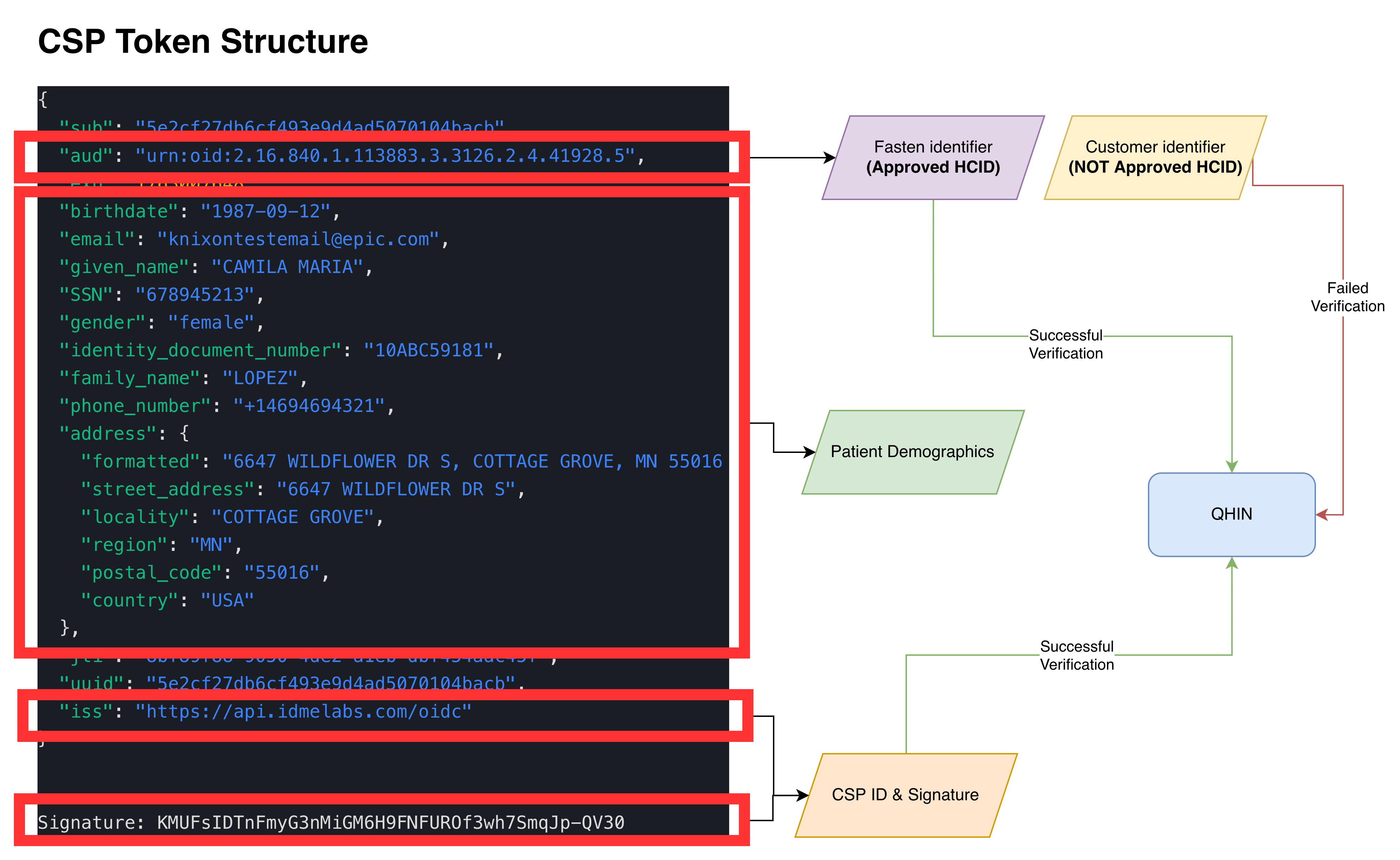
The ID Token becomes part of an API workflow
You might have noticed that the workflow above makes many references to ID Tokens. On paper this makes sense, because only the ID Token contains the patient demographics that have been verified by the CSPs. The QHINs can verify this signed ID Token using the CSP’s public key and then utilize the patient demographics for Patient Matching.
But this is an unusual use of an ID Token. In standard OIDC, an ID Token is consumed by the application to establish who the user is and generate an active session. In TEFCA IAS, that signed identity token is included in a query so QHINs and network participants can verify identity proofing evidence and use demographics for patient matching. The IAS SOP requires demographic claims such as first name, last name, date of birth, address, city, state, and ZIP code for identity verification. (ASTP TEFCA RCE)
That means the ID Token is no longer just proving identity to the App – usually restricted via the aud (audience) field of the ID Token – it’s now part of a request to the broader Network.
The ID Token is doing work that feels closer to an access credential or authorization artifact that allows access to medical record data, even though its payload should only be used as identity proofing evidence. Access Tokens (which are designed to fulfill this role) are not used anywhere within the spec, and that leads us to our next problem.
The expiration problem
ID Tokens expire for a reason: they should only be used to initiate a user session. Once that session has been created, the app can manage the lifetime of that session as it sees fit (the ID Token is irrelevant and should not be used) explaining their intentional short lifespan.
However this creates a practical problem for TEFCA IAS:
If the CSP generated IAL2 Claims are stored in an ID Token that expires quickly (which is recommended) then an App would need the patient to reverify their identity every time the App wanted to retrieve updated records after expiration.
That is a terrible user experience – nobody wants to scan their license and take a selfie every time their medication list needs a refresh.
The Refresh Token workaround
To solve the short-lived ID Token problem, CSPs have been asked to issue Refresh Tokens that let the Apps obtain new ID Tokens on demand.
But in OAuth, Refresh Tokens are normally used to get new Access Tokens (not ID Tokens).
For TEFCA IAS, the Refresh Token effectively lets the App obtain fresh identity proofing evidence without the patient being actively present.
That solves the operational & usability problem, while creating an implicit “consent” problem. Because the system now has a persistent credential that can keep producing fresh identity tokens, which can keep supporting network based requests for patient data, but the IAL2 verification (including liveness test) may have happened days, weeks or even months prior.
The 90 day rolling refresh model
Which brings us to the next problem: when CSPs were told to implement Refresh Token functionality, they were not given much guidance on how long these Refresh Tokens should last. The TEFCA IAS SOP makes no recommendations regarding Token or Consent expiration. Eventually CSPs were informed that their Refresh Tokens should follow the same timelines as 170.315(g)(10) APIs which use a rolling 90-day Refresh Token.
A Rolling 90-Day Refresh means that the Refresh Token lasts 90 days, however if the Refresh Token is used at least once within that 90 days, the Refresh Token expiration extends another 90 days.
For subsequent connections, Certified Health IT Modules are not required to issue a new refresh token, but must issue a refresh token valid for a new period of no less than three months. Whether the application receives a “new” refresh token is an implementation decision left to the health IT developer, as long as the “refreshed” refresh token is valid for a new period of no less than three months*
For patient access APIs, this design helps apps stay connected without forcing patients through repeated login and authorization flows. ONC’s guidance explicitly frames subsequent access as occurring without reauthorization and reauthentication when a valid refresh token is supplied.
That makes sense for usability, but requires us to ask an uncomfortable question:
Can an app maintain persistent offline access to a patient’s medical records indefinitely, as long as it keeps refreshing within the rolling window?
In theory, yes.
Unless there is a separate policy, revocation, consent expiration, or network level limit that stops it.
Identity verification is not consent
TEFCA IAS does important work by creating a high-trust way for a patient to prove who they are, locate a list of their healthcare providers and request their medical records.
But the identity verification used in the TEFCA IAS framework only answers the question:
Is this person who they claim to be?
It does not fully answer:
- What data did this person agree to share?
- For what purpose?
- For how long?
- Can they revoke it?
- What happens after revocation?
Those are consent and authorization questions.
Fasten’s focus on the middle layer
At Fasten, we spend a lot of time in this complicated middle layer between policy, identity, consent, and real developer workflows.
Our goal is not just to retrieve records, it’s to make patient authorized access predictable, auditable, and usable for the organizations building on top of it.
It means thinking carefully about authentication, authorization and identity verification.
It means thinking carefully about how long access should persist, how patients can manage connections, and how consent should be represented downstream.
Part 2
In Part 2, we’ll talk more about the spectrum of consent, and various solutions that we can build on-top of the foundation TEFCA IAS has in-place today.
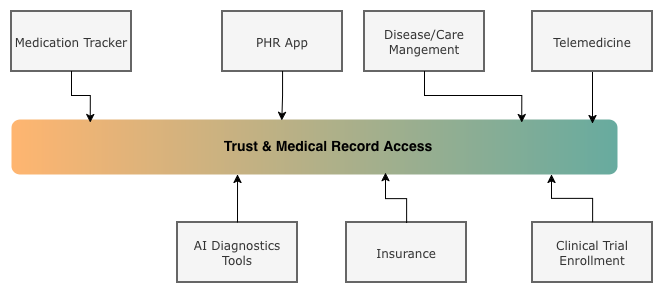
There’s a big difference between:
- The patient is present right now.
- The patient verified their identity.
- The patient authorized access to their medication history.
- The patient authorized access to sensitive data, including sexual, mental and behavioural health.
- The patient delegated access for a defined purpose.
- The patient granted broad offline access until revoked.
These are not the same thing, and we must move past the “all or nothing” workflows we have in place today if we want Individual Access to scale for the personalized App experiences that Patients want.
References
- For the technical background, start with OAuth 2.0 for access tokens, refresh tokens, and delegated authorization. (RFC Editor)
- For OIDC, read the sections on ID Token claims, expiration, offline access, and refresh token behavior. (OpenID Foundation)
- For IAL2, read NIST SP 800-63A which describes how real world evidence can be used to identity proof individuals
- For TEFCA IAS, review the IAS Exchange Purpose Implementation SOP, especially the sections on CSPs, IAL2 verification, signed OpenID Connect tokens, and required demographic claims. (TEFCA IAS SOP)
- For the 90 day rolling refresh token pattern, ONC’s § 170.315(g)(10) API Resource Guide is the key reference. (ONC Health IT)
Finally, a thanks to everyone who reviewed and gave me feedback on this post:
- Alex Dzeda
- Brendan Keeler
- Gene Vestel
- Pryce Ancona
- Zachary Shelton
 TEFCA Mode Is Here: One Line of Code, 60,000 Providers